Log in

All‑Access 30% off – code NOVEMBER30 is already in the price

AI voiceover and a clone of your voice, right in your browser

Paste your text, and a moment later it’s read by
your AI voice clone.

  • Voice clone from a sample
  • Ready-made AI narrators
  • New voice from a description
  • Voice changer
  • Laughs and emotions
  • Podcast with 2⁠–⁠4 voices
  • Audiobook from text
  • 37 languages
  • Songs with vocals
  • Pronunciation dictionary

You pay once, and Unlimited Ai Voice stays with you for good

No subscription and no credits to keep topping up

Get Unlimited Ai Voice now

30‑day money-back guarantee, no questions asked | Pay once, no subscription | Commercial use

Voice cloning, step by step

A minute at the microphone, and then your clone does the reading

How your voice clone is made

In the menu you choose “Clone a Voice,” click “Record with microphone” and read aloud the text the app gives you – for example, a short story about a new bakery on the corner. Already have a recording? Upload an MP3, WAV, M4A, OGG or WEBM file.

The sample should be 10 to 60 seconds long. If it’s longer, the app trims it for you and quiets the background noise. Then you pick the language you speak, and your finished clone lands in “My Voices.”

From then on you don’t need the microphone: in “Create Audio” you paste your text – up to 7,000 characters at a time – and download an MP3 file in your own voice. In the video, the clone reads a teaser for an episode about homemade pizza.

You clone your own voice or the voice of someone who has agreed to it – the app asks for that confirmation with every clone. All‑Access also includes a professional clone, made from a longer sample of up to 90 seconds.

Illustrative videos: a voice sample, then new text

You write the script, and AI does the voiceover

A voice from a description instead of a casting call

In the “Voice Maker” you describe in words who you want to hear. In the video, the description “an elderly mountain man, warm and slow, for a fairy tale about the Rockies” produces a voice that begins a story about a little shepherd boy.

That’s also how you get an energetic coach for a gym ad or a friendly robot for a science channel. You write the description in English, and the new voice speaks English too.

There are two modes. Professional creates natural narrators for storytelling, conversations and ads – the description can be up to 1,000 characters. Creative makes expressive characters, such as a fairy, a wizard or an alien: you type up to 50 characters and pick one of three proposals.

You save the finished voice in “My Voices” and use it like any other: in recordings, podcasts and audiobooks. A voice from a description is part of the All‑Access plan.

A new voice in a finished recording

The words stay the same, only the voice changes.

In the “Voice Changer” you upload an audio file – up to 10 minutes and 50 MB – or record yourself with a microphone. Then you choose the “Target Voice”: your clone, a ready-made voice or a voice from a description.

The app turns the speech into text and reads it again in the voice you picked, at the same pace and in the same places. The intonation and accent of the original don’t carry over, so recordings with clear speech work best.

Have an MP4 video? The “Video Voice Changer” replaces the entire soundtrack, background music included, and leaves the picture untouched. The result appears after a few minutes. Both features are in All‑Access.

A podcast from a topic, with several voices

You give a topic, and the app writes the conversation and records it in the voices you choose.

In “Create Podcast” you select “Let AI write the script” and type in a topic – in the video, “Running after thirty: how to get started?” Then you choose the language and the length: 1, 2, 5, 10 or 15 minutes.

You can also give the address of a web page for the AI to base the episode on, such as a description of your service or a recap of a company event. Writing the dialogue takes up to a minute.

There can be 2 to 4 speakers. You give each one a name and a voice: your clone, a ready-made narrator or a voice from a description. Prefer your own text? In “Write my own script” mode, every line starts with a name, for example “Anna: Thanks for having me.”

Before recording, you read the whole dialogue in the preview, delete lines you don’t need and change speakers, and then you download the finished episode as an MP3. Podcasts are in All‑Access.

A video example with every tool

Voiceover, podcast and song in a single browser tab

The same text in Spanish, German or Japanese

The narrator reads in the language you choose, and the app can translate your English text for it first.

In “Create Audio” you pick a language and a voice that speaks it. There are 37 languages – from Spanish, German and Ukrainian to Japanese, Hindi and Arabic.

Only have the text in English? The “Translate” button converts it into the voice’s language, and “Apply” puts the translation into your script. You can still edit it before recording.

A ready-made voice reads in the language its sample was recorded in. Your clone, made from a sample recorded in English, will read text in every language on the list.

Below, click a language and listen to the samples – all of them were generated by artificial intelligence. The app also offers Bulgarian, Croatian, Serbian, Slovenian, Lithuanian, Latvian, Greek and Hebrew.

A laugh, a sigh and a pause in the middle of a sentence

The narrator in the app can laugh mid-sentence, sigh before the punchline or let the voice hang – all it takes is a tag in the text.

In the video, the narrator asks with a laugh, “Did I really win?”, then sighs, and finally drops her voice to a whisper.

In the recording preview you click “Add Expression” and insert a laugh, a giggle, a sigh, a cough, a yawn or a pause – short (1 s) or long (3 s). You can fit up to 5 such tags in one segment. Expressions work in both plans.

Emotion Style (All‑Access) sets the tone for a whole segment: happy, sad, calm, excited, angry, as well as a whisper, a shout or a news anchor’s tone. You can apply it to all segments with one click.

Emotion Style is still in beta and can slightly change the timbre of a clone, so before generating the whole thing, listen to the preview of the first 10 words.

Your idea, a finished song with vocals

In “Create Music” you type what the song should be about, and the AI writes the lyrics for it. In the video, the description “a cheerful pop song about a summer by the sea, female vocals” produces a finished track – with lyrics, melody and singing.

You read the lyrics from the AI before recording and fix them verse by verse. Have your own words? Choose “Your Lyrics” and mark the verses with [verse] and the chorus with [chorus].

You choose a style from the ready-made ones – jazz, opera, R&B, reggae – or describe it your own way, e.g. “a sad song about a breakup.” The “Enhance with AI” button turns that description into professional music tags.

The finished track lands in your “My Audios” list. You can use it in a video, an ad or at a family celebration, commercially too. Music is part of the All‑Access plan.

A script with a strong opening, a body and a punchline

In “Scripts” you paste the text of a video you enjoyed watching – or of several, five at most. On YouTube you’ll find it under the video: “…more,” then “Show transcript.”

In the “Prompt” field you write what you need, e.g. “write a 2‑minute video ad inspired by both videos.” In the video, a text about watering plants produces a new script: a catchy opening, a body and a punchline.

With one click you move the finished text to “Create Audio,” where a narrator or your clone reads it. Scripts modeled on videos are in All‑Access, while in Basic you can write a script from a topic and a category, e.g. “Kids’ stories and animated films.”

Songs for preschoolers

In “Create Music” you choose the “Kids Rhymes” or “Lullaby” style. In the video, the description “a cheerful kids’ song about a hedgehog collecting apples” produces a song about a hedgehog named Teddy.

When you write your own lyrics for the “Kids Rhymes” style, the app offers a template with a counting rhyme about animals: “Kitty goes meow, meow, meow, puppy goes woof, woof, woof.” You change it your way or write from scratch.

Type in your child’s name, the name of their preschool group or a favorite toy, and the song is made just for them.

A song like this comes in handy for a birthday, a preschool class or a family vacation video. Music for kids is part of All‑Access.

A library of ready-made voices and characters

With All‑Access, a library of ready-made narrators and characters joins your voices.

You type what you’re looking for in the search box and listen to the voices one by one.

Labels suggest what a voice is good for: narration, audiobook, trailer, e-learning, kids, games or ASMR.

You copy the voice you pick with the “Copy to my voices” button and use it right away in recordings, podcasts and audiobooks.

The characters below are sample AI voices – from the Dwarf to the Fairy-Tale Narrator. You can also make a similar character yourself, with a description in the “Voice Maker.”

With the Basic plan you don’t start from zero either: you can choose from hundreds of ready-made voices in the “System” category.

The voices in the library are synthetic and don’t imitate any real person – that’s what the Terms and Conditions say.

  • News Anchor

    News Anchor

  • Fairy-Tale Narrator

    Fairy-Tale Narrator

  • Nature Documentary Narrator

    Nature Documentary Narrator

  • Trailer Voice

    Trailer Voice

  • Relaxation Voice

    Relaxation Voice

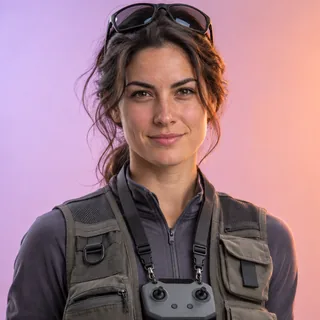
  • Traveler with a Camera

    Traveler with a Camera

  • Field Reporter

    Field Reporter

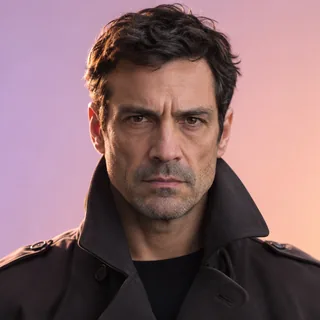
  • Detective in a Trench Coat

    Detective in a Trench Coat

  • Horror Narrator

    Horror Narrator

  • Game Streamer

    Game Streamer

  • Astronaut

    Astronaut

  • Spice Merchant

    Spice Merchant

  • Meadow Girl

    Meadow Girl

  • Pirate

    Pirate

  • Knight

    Knight

  • Dwarf

    Dwarf

  • Fairy

    Fairy

  • Dark Sorceress

    Dark Sorceress

  • Gorgon

    Gorgon

  • Seer

    Seer

  • Silver-Haired Elf

    Silver-Haired Elf

  • Priestess of Light

    Priestess of Light

  • Forest Archer

    Forest Archer

  • Warrior of the North

    Warrior of the North

  • Villain

    Villain

An audiobook from a chapter, a chronicle or a short story

In “Create Audiobook” you paste a long text – up to 30,000 characters at a time – and choose a narrator or your clone.

The audiobook is read in the language of the voice, so the text should already be in that language. English text will be read by an English-speaking narrator or by your clone recorded in English.

The app splits the text into segments. In the preview you listen to each one, fix a sentence and regenerate only the segment you don’t like.

In the video, a narrator reads the first chapter of a story about a lighthouse keeper on a peninsula.

One audiobook runs up to 30 minutes, and you can make up to 4 a day – a longer book you record in parts. Audiobooks are in All‑Access.

English text, foreign-language narrator

Have text in English but need a Spanish or German version? In “Create Audio” you choose a voice in that language, click “Translate” and the translation goes straight into your script.

Want your own voice to speak abroad? Record the clone sample in English – that clone will read text in every language on the list.

That’s how you prepare a Spanish version of an offer for customers abroad, German instructions for employees or a Ukrainian greeting for your company website.

Translation is already part of the Basic plan.

Commercial use in both plans

The Terms and Conditions allow you to use the voice recordings, music, podcasts and audiobooks made in the app commercially.

Recording a spot for a friend’s café or an audiobook to order? The Terms and Conditions explicitly cover materials you prepare for your clients, too.

There’s just one thing to watch: don’t infringe anyone else’s rights – which is why you clone only your own voice or the voice of someone who has agreed to it.

You download the finished file to your computer, and you decide where to use it: in a Facebook ad, an online course or on local radio.

Extra income

Recordings other people will pay you for

  • Spots for local businesses

    You deliver a voiceover ad for Facebook for a pizzeria, an auto shop or a flower shop as an MP3 the very same day.

  • Phone greetings

    A clinic or an accounting office gets a greeting for its phone line, and when the hours change, you fix a single sentence.

  • Local audio guides

    You record the description of a regional museum or a local trail in English, Spanish and German – tourists listen to it on their phones.

  • Songs for celebrations

    For an eighteenth birthday, a wedding or a company anniversary, you get a song with names in the lyrics – you type in your own words or have the AI write them.

  • Bedtime stories with a child’s name

    A story in which Lucy outsmarts a dragon is read by a narrator who pauses right before the punchline.

  • Language versions for online stores

    A product video for customers in Germany and France gets a narrator in German and French, and “Translate” converts the text.

  • Podcasts for local businesses

    A travel agency publishes an episode every week, e.g. “Yosemite in the off-season” – in “Create Podcast,” two voices discuss it.

  • Audiobooks for authors

    You turn a local author’s memoir or novel into an audiobook chapter by chapter, each up to 30 minutes.

  • Employee training

    When a wholesaler changes its goods-receiving procedure, you fix one paragraph and the training is up to date again.

  • Character voices for games

    You describe a dwarf’s voice for a game or a fairy’s for an audio drama in the “Voice Maker” and pick one of three proposals.

Lower costs

Expenses that disappear with your first recording

  • A narrator with no per-minute rate

    The voice from the app records up to 30 minutes of speech every day in Basic, or up to 4 hours in All‑Access.

  • No translation agency

    “Translate” converts the text into the narrator’s language, e.g. Ukrainian or Slovak, and the narrator reads it right away.

  • A typo costs nothing

    You fix a mistake in a price or a product name in a single segment, and the rest of the recording stays.

  • No copywriter

    A topic and a category are enough: “Generate Script” writes the text of an ad, a reel or a story, ready to be read.

  • No hunting for a quiet room

    A neighbor’s drill won’t spoil the recording – the narrator in the app doesn’t need your microphone.

  • Pronunciation set once

    You add a company name or an acronym, e.g. “GIF” as “jif,” to the “Pronunciations” dictionary once, and it works in every recording.

  • An old recording, a new narrator

    The “Voice Changer” re-reads your old recording in a different voice, in the same places and at the same pace.

  • No scheduling a guest

    In “Create Podcast,” 2⁠–⁠4 voices talk to each other – no hunting for a co-host and no editing.

  • An audiobook without reading aloud

    You paste a chapter of up to 30,000 characters into “Create Audiobook,” and the narrator reads it at an even pace, with no hoarseness.

  • Music without license fees

    You make a backing track for an ad or a lullaby in “Create Music” and can use them commercially, too.

Satisfaction guarantee

First you hear your voice in Unlimited Ai Voice.
Then you have 30 days to decide

Clone your voice, turn a few of your texts into recordings and only then decide whether Unlimited Ai Voice works for you. If it doesn’t, we’ll refund the full amount within 30 days of purchase.

A short email to ai@gotoit.pl is all it takes – no forms and no need to give a reason. The guarantee terms are described in Section 6 of the Terms and Conditions.

Pricing

Basic to get started, All‑Access for everything.
You pay only once in both

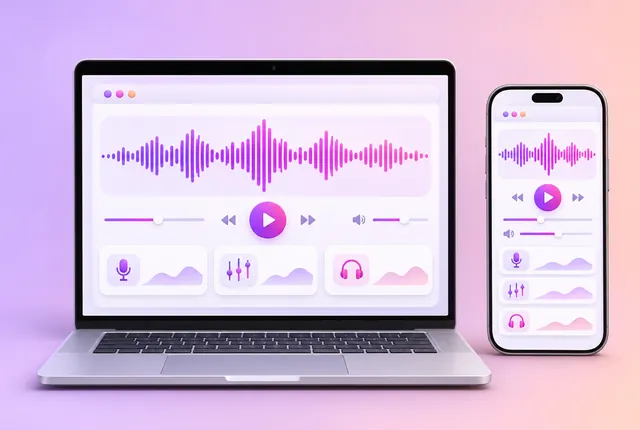
The app in a browser on a computer and a phone

Basic

  • A clone of your voice from a recording as short as 10 seconds
  • Hundreds of ready-made voices read your text
  • A script from just a topic: ad, reel or story
  • Translation of your text into the narrator’s language
  • A laugh, a sigh and a pause anywhere in the text
  • A pronunciation dictionary for company names and acronyms
  • Merge up to 20 recordings into one file
  • 30 minutes of speech every day
  • Commercial use rights
  • 30‑day money-back guarantee

Get Unlimited Ai Voice for
$49 – you pay once

To start: a voice clone, ready-made voices and 30 minutes of speech a day

Get Unlimited Ai Voice now

30‑day money-back guarantee | One payment | Commercial use

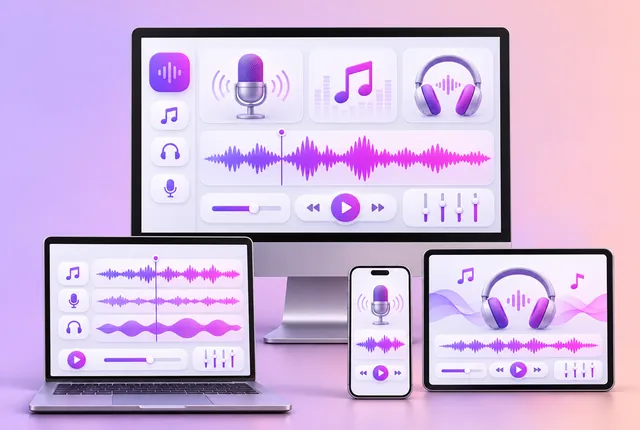
The app in a browser on a computer and a phone

All‑Access

  • Everything in Basic
  • Plus, only in All‑Access:
  • Songs with vocals in “Create Music”
  • Song lyrics written by AI
  • Lullabies and songs for kids
  • A podcast with 2⁠–⁠4 voices: from a topic or your own script
  • An audiobook of up to 30 minutes from pasted text
  • A voice from a description in the “Voice Maker”
  • A professional clone from a sample of up to 90 seconds
  • 13 emotion styles, from joy to a whisper
  • Voice change in an audio recording
  • Voice change in an MP4 video
  • Voice library: narrators, announcers and characters
  • A script modeled on videos whose text you paste
  • 4 hours of speech a day instead of 30 minutes
  • Commercial use of recordings and music
  • One payment, access with no expiration date
  • 30‑day money-back guarantee

Get Unlimited Ai Voice for
$179 – you pay once

All the tools, and the code NOVEMBER30 is already in the price

Get Unlimited Ai Voice now

30‑day money-back guarantee | 4 hours of speech a day | Music, podcasts and audiobooks

Questions

A quick look at what to know before you buy

You pay once, and Unlimited Ai Voice stays with you for good

No subscription and no credits to keep topping up

Get Unlimited Ai Voice now

30‑day money-back guarantee, no questions asked | Pay once, no subscription | Commercial use